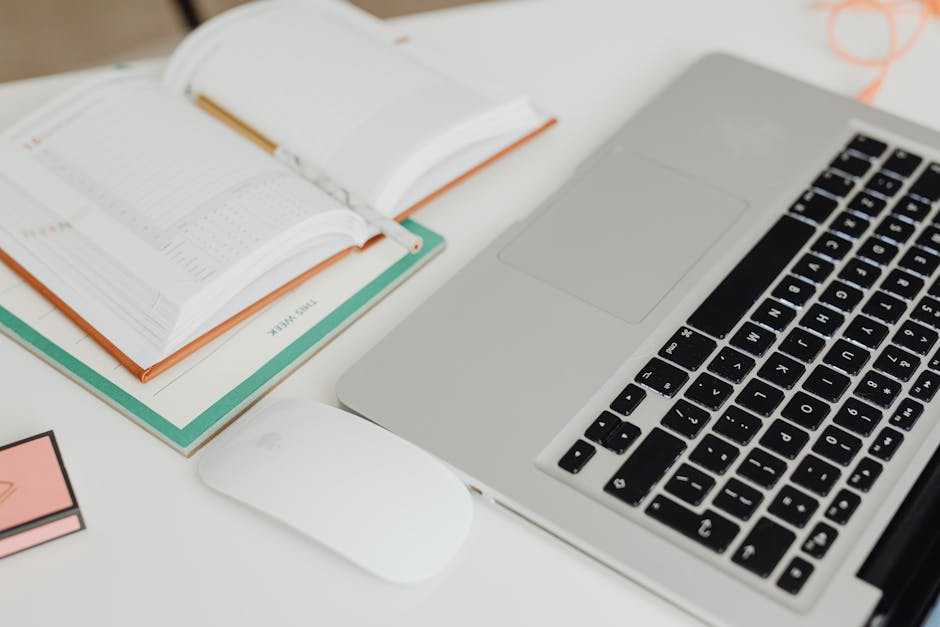
It's early morning at the kitchen table, and the coffee mug sits steaming beside a neatly arranged notebook and task list. As a remote worker preparing for a day filled with back-to-back meetings, the first action involves reviewing the agenda for the first call. However, the familiar ping of incoming emails quickly draws attention away from the preparation. Each notification feels like a small distraction, pulling focus from confirming the agenda and ensuring all necessary documents are ready. The task list, intended to guide the day, now risks becoming buried under a barrage of new messages.
As the clock ticks closer to the start of the first meeting, the pressure mounts. The initial plan to spend a few moments organizing thoughts and checking off essential tasks slips away, replaced by the urgent need to respond to emails. This shift not only disrupts the workflow but also leads to a missed opportunity to clarify the meeting objectives. Without a clear agenda, the chances of losing track during the call increase significantly, making it harder to engage meaningfully with the team. In this busy routine, the friction between email replies and preparation time highlights a crucial element often overlooked: the need to prioritize and streamline the morning setup for a successful workday.
The Expected Morning Routine Before Meetings
At the kitchen table, the aroma of freshly brewed coffee fills the air, mingling with the faint sound of notifications pinging on the laptop. It’s early morning, and the remote worker knows that today is packed with back-to-back meetings. The first task is to review the task list, which is pinned to the side of the laptop screen. Important meetings and deadlines are highlighted, but the pressure of incoming emails threatens to distract from this crucial preparation.
Before diving into the digital chaos, the workspace needs attention. Clutter from the previous day’s work is cleared away, creating a clean surface that feels more inviting. The laptop is opened, and the calendar is checked to confirm the agenda for the first meeting. This small act of organization sets the tone for the day. However, as the clock ticks closer to the meeting start time, the temptation to respond to emails grows stronger. A quick glance shows multiple unread messages, and the risk of losing focus on preparation becomes evident.
In this moment, the worker decides to limit distractions by setting a timer for ten minutes. During this time, the goal is to outline key points for the meeting in a notebook, ensuring that thoughts are organized before the call begins. This simple adjustment helps clarify objectives and reduces the likelihood of losing track during the discussion. Yet, even as the timer buzzes, the pressure of unanswered emails lingers, reminding the worker that balancing preparation with communication is a constant challenge.
Where the Routine Breaks Down First
At the kitchen table, a coffee mug sits beside a neatly arranged notebook, ready for a focused morning. The clock shows 7:45 AM, and the first meeting is scheduled for 8:00 AM. However, as the remote worker prepares to outline key discussion points, the familiar ping of email notifications begins to disrupt the calm. Each alert pulls attention away from the agenda, creating a growing sense of urgency that distracts from the crucial task at hand.
The agenda for the first meeting, which should be a priority, is often overlooked in this flurry of incoming messages. Instead of confirming the details on the screen, the worker finds themselves scrolling through emails, responding to one or two that seem urgent. This shift in focus leads to a rushed start, where the worker enters the meeting without a clear understanding of the objectives. The first visible sign of drift occurs when they realize they haven't even opened the meeting document, which is buried under a pile of new emails.
To counteract this tendency, a small adjustment can be made: setting a specific time for email responses after completing the meeting prep. By allocating a ten-minute block solely for reviewing the agenda and jotting down questions, the worker can reclaim focus. This means placing the notebook in front of the laptop and ensuring that the meeting document is the first tab opened, creating a clear boundary between preparation and distractions. As the timer ticks down, the worker can feel the difference in clarity, but the challenge remains—how to maintain that focus amidst the constant influx of communication.
A slightly different version of this problem appears in Writing Clearly At Work, where the sequence changes but the hidden drag feels familiar.
Why Email Replies Crowd Out Preparation Time
Early mornings can quickly become chaotic, especially when the first task is to check emails. The moment a remote worker sits down at their kitchen table, coffee mug in hand, the temptation to dive into the inbox can derail the entire morning routine. Instead of focusing on the upcoming meetings, the worker finds themselves responding to unexpected replies that demand immediate attention.
- Checking emails often leads to urgent replies that pull focus away from preparing for meetings, leaving the worker scrambling to catch up.
- With back-to-back meetings scheduled, the time to review the agenda often gets sacrificed, creating a reactive mindset instead of a proactive one.
- A cluttered workspace filled with papers and unorganized notes can further delay the start of focused work, making it harder to find essential documents.
As the clock ticks closer to the first meeting, the worker realizes that they haven’t even opened the meeting document, which is buried under a pile of new emails. This hidden cause of distraction—checking emails before preparing—creates a ripple effect, leading to a disjointed start. To combat this, setting aside a specific time for email responses after agenda review can help. By placing the notebook directly in front of the laptop and ensuring that the meeting document is the first tab opened, the worker can establish a clear boundary between preparation and distractions. However, the challenge remains: how to maintain that focus amidst the constant influx of communication.
Confirming the Agenda as a Game Changer
On a typical meeting-heavy morning, the remote worker sits at their kitchen table, coffee mug in hand, glancing at the cluttered task list on their laptop. The clock shows 8:00 AM, and the first meeting is scheduled for 8:30 AM. With a flurry of emails already piling up, the temptation to check them is strong, but this often leads to a chaotic start. To avoid this, confirming the meeting agenda the night before becomes crucial. By taking just ten minutes to review the agenda and jotting down key points in a dedicated notebook, the worker can enter the meeting with confidence.
As the worker opens the meeting document tab, they realize that without this preparation, important questions could get buried under the influx of new emails. This small adjustment—reviewing the agenda ahead of time—creates a clear focus for the morning. The notebook, positioned right next to the laptop, serves as a tangible reminder to stay on track. During this early morning routine, the worker can quickly note any follow-ups that need to be captured in the task list, ensuring nothing slips through the cracks.
However, the challenge remains: with emails constantly arriving, it’s easy to lose sight of the agenda. To combat this, the worker decides to set a timer for 15 minutes after the meeting to respond to emails. This creates a boundary that allows for focused preparation without the distraction of incoming messages. By confirming the agenda and establishing a dedicated time for email responses, the worker can maintain a structured start to their day, transforming what could be a chaotic morning into a more manageable and productive experience.
A Quick Checkpoint to Prevent Drift
Before the laptop screen lights up with a flood of new emails, take a deliberate five minutes to review the task list and agenda. This simple act, performed at the kitchen table with a steaming coffee mug nearby, sets a clear intention for the day. With the notebook open to the current week’s tasks, the remote worker can quickly jot down any immediate thoughts or necessary follow-ups, ensuring they’re captured before the day’s chaos begins.
To enhance this preparation, create a visual reminder on the desk. A sticky note placed prominently on the laptop serves as a cue to stay focused on the meeting agenda. This small but effective adjustment keeps the worker anchored, reducing the likelihood of drifting into email replies that can easily consume precious prep time. Each time the worker sits down, they see the note and are prompted to confirm the agenda before opening distractions. This sequence not only reinforces the habit but also establishes a rhythm that prioritizes preparation over reaction.
As the timer ticks down, the worker can mentally map out the first few minutes of each meeting, ensuring that the most pressing points are addressed. If an email pops up during this time, the worker knows to let it slide until the dedicated email response window later in the morning. This structured approach minimizes the risk of a follow-up getting buried under new mail and keeps the focus sharp on what truly matters.
What Changes Once That Fix Repeats
This same friction shows up again in Balancing Work And Life, especially when the day tightens unexpectedly.
At the home desk, the coffee mug sits beside a neatly arranged notebook and an open calendar on the laptop screen. This setup creates a visual anchor that signals it’s time to prepare for the day’s meetings. By confirming the agenda before diving into emails, the remote worker can maintain focus on what’s essential. Each morning, the first task is to review the upcoming meetings, jotting down key points in the notebook. This small act of preparation transforms the morning routine.
In the next work block, the difference is palpable. Instead of scrambling to gather thoughts mid-call, the worker can smoothly transition from one meeting to the next, having already mapped out the discussion points. When a new email notification pops up, it’s easy to ignore it, knowing that responses will be handled later. This shift prevents the chaos of a follow-up getting buried under a flurry of incoming messages. The desk setup, with the notebook open to the agenda, reinforces the habit of prioritizing preparation over reaction, leading to a more productive and less stressful meeting day.
As the morning unfolds, the remote worker's desk transforms into a hub of focused activity. With the coffee mug steaming beside a neatly arranged notebook, the act of confirming the agenda becomes a ritual. This simple check not only aligns the day's priorities but also sets a tone of readiness. Each meeting is approached with clarity, ensuring that no vital points are lost in the shuffle of incoming emails.
In the midst of a busy schedule, it’s easy for preparation to slip through the cracks, especially when email replies demand immediate attention. By making it a habit to review the task list and jot down discussion points before opening the inbox, the worker can sidestep the chaos of distractions. This small adjustment—prioritizing agenda review over email responses—creates a smoother transition between meetings, allowing for a more effective and less stressful workday.